Design-to-engineering handoffs fail when a team treats design as a finished file that can be passed across a boundary without its reasoning. Screens may show the intended appearance, yet leave engineers to reconstruct user needs, states, data rules, responsive behaviour, accessibility requirements and acceptance criteria.
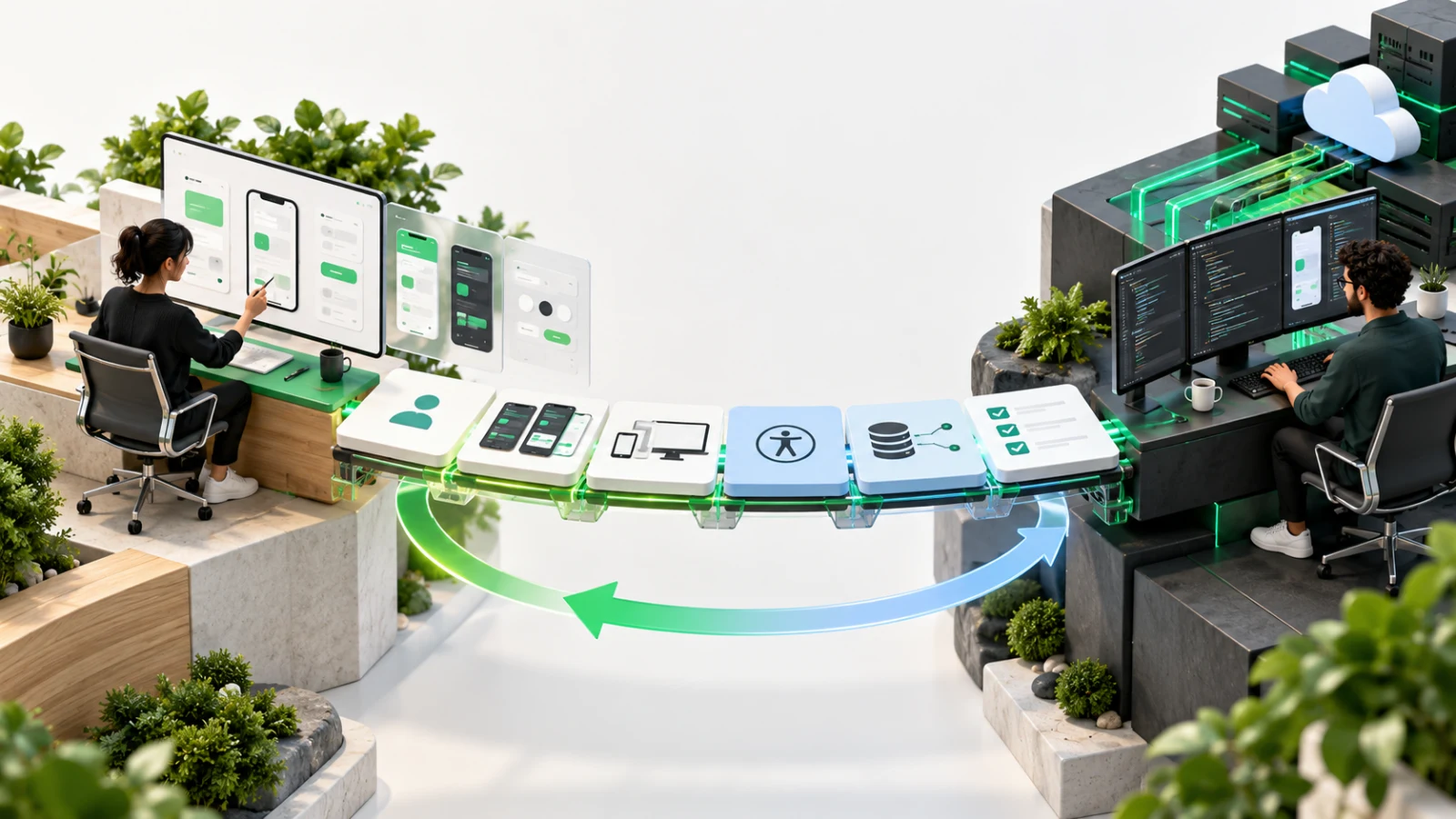
The remedy is not a more elaborate handoff ceremony. It is continuing collaboration: shared problem context, early feasibility conversations, reusable components, explicit behaviour and frequent review while the product is being built.
The file-transfer model hides essential decisions
A design file is a representation of a product at selected moments. Working software must respond to many more conditions:
- different people and permissions;
- real content of unpredictable length;
- loading, empty, partial, success and error states;
- validation and recovery;
- multiple screen sizes and orientations;
- keyboard, pointer, touch and assistive technology;
- slow or unavailable networks;
- changing data and asynchronous events; and
- system constraints the canvas does not reveal.
When the team says a screen is “ready for development”, engineers may still need to make dozens of product decisions. If those decisions happen silently during implementation, the built result can differ from the design for rational reasons that nobody recorded. Designers then review the output as a visual mismatch; engineers experience the feedback as late scope change.
The UK Government Service Manual takes a multidisciplinary view: designers, researchers, content designers and developers should work together to design, build and iterate around user needs (what each role does in a service team). Although private product teams are not required to use the government model, the underlying lesson is widely applicable: collaboration is part of delivery, not a stage that ends when design files are shared.
Failure 1: the team shares screens without the problem
An engineer who receives only the proposed interface cannot reliably judge which details are essential and which are open to change.
A useful implementation brief should explain:
- the user and their situation;
- the outcome the workflow must support;
- the evidence or assumption behind the design;
- the business rule or policy that constrains it;
- the primary success measure;
- decisions already made;
- decisions still open; and
- what is deliberately outside the release.
This context helps when reality conflicts with the first design. If an API cannot support instant results, the team can discuss how latency affects the user outcome instead of simply adding a spinner. If the intended user works mostly on a small phone in poor connectivity, responsive behaviour and recovery become product requirements rather than later polish.
Failure 2: only the happy path is designed
One polished success state can create a false sense of completeness. Before implementation, walk through the state model for each important journey.
Entry and permission states
- Can every relevant role see or start the action?
- What happens when the user is signed out or lacks permission?
- Does the product explain why an action is unavailable?
Loading and progress states
- Is the operation immediate, delayed or completed in the background?
- Can the user leave safely?
- Is repeated submission prevented?
Empty and partial states
- What does a new user see before data exists?
- Can some records be unavailable while others load?
- What content helps the user take the next step?
Validation and error states
- Which validation happens locally and which depends on the server?
- Where does the error appear?
- Is the user’s input preserved?
- Can they retry safely?
Success and follow-up states
- What confirms completion?
- Does the user need a receipt, status or next action?
- When and how can the result change later?
A small state table is often more useful than duplicating every screen. Give each state a trigger, visible response, permitted actions and recovery route. Link states to acceptance criteria so implementation and testing share the same expectations.
Failure 3: real data and content arrive too late
Placeholder names and short sentences make layouts look orderly. Production data rarely behaves that way. Product design should test:
- minimum and maximum lengths;
- long personal and organisation names;
- missing optional values;
- large numbers and dates;
- localisation where applicable;
- user-generated content;
- uploaded images with different proportions;
- lists with zero, one and many records; and
- errors returned by real integrations.
Use representative, non-sensitive fixtures early. Agree truncation, wrapping, formatting, fallback and validation rules. If the product displays personal or confidential information, ensure test data is authorised and managed appropriately.
Failure 4: responsive behaviour is left to interpretation
A desktop and mobile frame do not explain everything between them. For each component, agree:
- whether the layout wraps, stacks, scrolls or changes pattern;
- which information remains visible;
- how tables or dense comparisons behave;
- where navigation moves;
- the order of content in the document and focus sequence;
- whether actions remain reachable at zoom; and
- how touch targets and keyboard focus work.
Responsive design is not just fitting pixels. The W3C’s Web Content Accessibility Guidelines 2.2 include requirements related to meaningful sequence, orientation, text resizing, focus visibility and focus not being obscured. These requirements affect design and engineering together. A visual rearrangement that looks neat may still produce an illogical reading or keyboard order.
Document rules at the component level rather than drawing every possible viewport. Then test real implementation at representative widths, text zoom and content extremes.
Failure 5: accessibility is treated as an engineering check
Accessibility cannot be added reliably after visual approval. The GOV.UK Service Manual states that accessibility is the whole team’s job and should be considered before design or build begins (making your service accessible).
Design decisions should address:
- semantic structure and heading order;
- visible labels and instructions;
- focus order and focus appearance;
- contrast and non-colour indicators;
- error identification and recovery;
- alternatives for non-text content;
- keyboard and non-pointer operation;
- motion and timing;
- zoom, reflow and orientation; and
- status messages announced to assistive technology.
Engineering then implements semantics, relationships, keyboard behaviour and assistive-technology support, while quality assurance tests the result. Automated checks can find some issues, but manual keyboard testing and appropriate assistive-technology testing remain necessary.
Add accessibility acceptance criteria to stories and components. The Service Manual’s developer guidance describes these as specific rules that can be applied to components during accessibility testing (making your frontend accessible).
Failure 6: feasibility is discussed after approval
When technical constraints appear only after stakeholders approve a design, every change feels like a compromise. Bring engineering into exploration before a solution hardens.
Useful early questions include:
- Does the required data exist and arrive at the right time?
- Can the user’s permissions support the proposed action?
- Does an external platform allow the interaction?
- What happens if the integration is slow or unavailable?
- Is the proposed interaction consistent with the target devices?
- Are there security, privacy or audit requirements?
- Can an existing component solve the need?
- Which part carries the greatest technical uncertainty?
The goal is not for engineering to reject ambitious ideas. It is to expose constraints while the team can still explore alternatives cheaply. A short technical spike or prototype may resolve an uncertainty before detailed design continues.
Designers should also join implementation planning. They can clarify priority when a story needs to be split and protect the user outcome if scope changes.
Failure 7: the design system exists only as a picture library
A shared component library reduces repeated decisions only when design and code represent the same product language.
For each component, maintain:
- purpose and appropriate use;
- variants and states;
- content guidance;
- responsive rules;
- accessibility behaviour;
- design token mapping;
- coded implementation;
- tests or examples; and
- ownership and change history.
The GOV.UK Design System is a useful public example: components combine usage guidance with coded examples and fit into broader patterns. A commercial product’s system will differ, but the principle is valuable. A component is not merely a rectangle with consistent spacing; it is a tested behavioural contract.
Replace the handoff meeting with a review loop
A dependable loop can be lightweight:
1. Shape together
Product, design and engineering agree the user outcome, scope, constraints and riskiest uncertainty.
2. Review the design before it is final
Engineering checks data, permissions, integrations and feasibility. Quality assurance considers states, testability and release risk. Content and accessibility are reviewed in context.
3. Agree ready-for-build evidence
Link the design, state model, acceptance criteria, content, data rules and open decisions to the delivery item. Identify the reviewer who can answer questions during implementation.
4. Review working software early
Inspect the first implemented slice before every detail is complete. Use realistic content and compare behaviour, not screenshots alone.
5. Record decisions and update the system
When implementation reveals a better solution or constraint, update the design source and component documentation. Do not let the code become the only record of the final behaviour.
6. Validate before release
Review critical journeys across supported viewports, input methods, content extremes and failure states. Include accessibility and the product’s wider startup QA checks.
This loop makes disagreement visible while change is still affordable.
A ready-for-build checklist
Before a team starts implementation, confirm the following where relevant.
Purpose and scope
- The user, problem and intended outcome are clear.
- In-scope and out-of-scope behaviour is recorded.
- The success measure and important risks are known.
Behaviour
- Happy paths and material failure paths are defined.
- Loading, empty, partial, validation, success and permission states are covered.
- Acceptance criteria describe observable behaviour.
Content and data
- Final or representative content is available.
- Data sources, formats, limits and missing-value behaviour are defined.
- Privacy and security constraints are known.
Responsive and accessible interaction
- Component behaviour across supported viewports is clear.
- Keyboard, focus, semantic and assistive-technology expectations are included.
- Zoom, reflow, orientation and content order have been considered.
System and delivery
- Existing components are identified.
- New variants have an owner and documentation plan.
- Key technical uncertainties have been resolved or time-boxed.
- Design review points are scheduled during implementation.
- The release and QA approach reflects the feature’s risk.
“Ready” does not mean every question is closed. It means the remaining questions are visible, owned and unlikely to overturn the solution unexpectedly.
Better handoffs are really better team boundaries
Design-to-engineering friction is often described as a communication problem. More precisely, it is an ownership and evidence problem. The team has not agreed which decisions the artefacts must carry, when disciplines need to collaborate or how changes become shared truth.
Treat the boundary as ongoing collaboration. Give engineers the user and product context needed to make sound implementation choices. Give designers access to working software while decisions can still change. Give QA, content and accessibility a place before the final review.
The result is not perfect agreement between design and code. It is a product whose differences are intentional, understood and tested.
For more on scoping early experiences, read UX for MVPs. For implementation architecture that supports change beyond launch, see how to architect a scalable Flutter MVP. If you need a multidisciplinary team to shape and deliver a product, explore FlutterCraft’s services.
Sources and further reading


 Mubeen AhmadCo-Founder24 Oct 20269 min read30